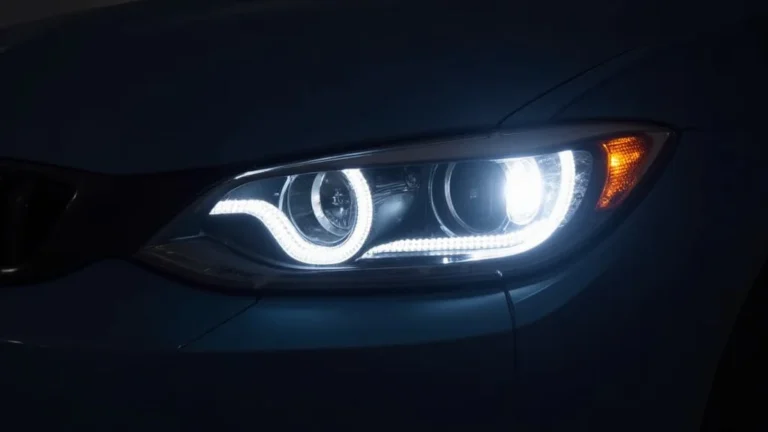
How To Remove Headlight Cover and Get Your Lights Sparkling
Ever tried to freshen up your car’s headlights, but got stuck wondering how to remove headlight cover to clean them properly? It’s super common! It can seem tricky if you’ve never done it before, with clips, screws, and other parts all over the place. Don’t worry, we’re here to help! This guide will show you exactly what to do, step by step, so you can clean your headlights without any stress. We’ll explore everything you need to know, so let’s get started!
What You Need Before You Begin
Before you even think about touching your car, it’s vital to gather everything you’ll need. This preparation saves time and prevents frustration. Missing a simple tool can halt the entire process. Having everything at your fingertips ensures a smooth, successful cleaning project. Think of it like a chef preparing ingredients before cooking. It’s all about readiness!
Essential Tools and Supplies
You’ll need the right equipment to remove the cover and clean the headlight effectively. Skipping any of these essential items could lead to damage or an incomplete job. Be sure to check what type of hardware is on your car. Many newer vehicles have plastic hardware. Make sure you don’t over-tighten them!
-
Screwdrivers (Phillips head and flathead): These are your go-to tools for removing screws. Different vehicles use different types, so a set of both is ideal. Make sure the screwdriver fits snugly into the screw head to avoid stripping it, which can be a real headache.
Using the wrong screwdriver is a common error. Always select the right size to prevent damaging the screws or the housing around them. Consider a set with magnetic tips to avoid dropping screws in tight spaces.
-
Wrench set: Some headlight covers have bolts. A basic wrench set is ideal for removing them. The right wrench will make your project much easier.
Ensure that the wrenches you use fit securely to prevent rounding off the bolt heads. This is especially important for older vehicles where corrosion can make bolts more stubborn.
-
Gloves: Protect your hands from dirt, sharp edges, and cleaning chemicals. A simple pair will do! If you’re using harsh chemicals, consider chemical-resistant gloves.
Gloves not only protect your hands but also prevent your skin oils from transferring to the headlight or cover, which can reduce cleaning effectiveness. Wash your hands thoroughly before putting on the gloves.
-
Plastic pry tools: These will help you gently remove clips or trim without damaging the surrounding parts. Metal tools can scratch the finish, so plastic ones are a must-have.
These tools are perfect for working around delicate parts of the headlight assembly. Always insert the pry tool carefully to avoid breaking any clips or fasteners. They’re like little levers that help you get things apart without messing them up.
-
Cleaning Supplies: You’ll need soap, water, a microfiber cloth, and potentially a headlight restoration kit if your headlights are heavily yellowed or cloudy. Don’t use abrasive cleaners as these can scratch the plastic.
A good microfiber cloth is your best friend when cleaning. They trap dirt without scratching. Headlight restoration kits can work wonders for faded headlights, but remember to follow the instructions carefully.
Removing the Headlight Cover
This is where the real work begins. The process differs slightly depending on your vehicle’s make and model. However, the basic steps are similar. Taking your time, and being patient is key. Rushing can lead to damage. If you’re unsure about a step, always consult your car’s manual. Remember, taking things slowly and methodically is key.
Finding the Fasteners
The first step is locating all the fasteners holding the headlight cover in place. These can be screws, bolts, or clips. They are often found around the edges of the headlight assembly. You might need to open the hood and look inside the engine compartment. Some cars also have fasteners hidden behind the front bumper or wheel well.
Once you locate all the fasteners, examine them. Note what type they are (Phillips head, Torx, etc.) so you can have the correct tools ready. These are the main points holding the headlight in place. Finding them all is the first step in the process. Many cars use a combination of screws, bolts and clips.
-
Check the Vehicle’s Manual: Your car’s manual is your best friend here. It will provide a detailed diagram showing the location of all fasteners. This step saves time and prevents you from missing any hidden screws.
If you don’t have the manual, you can often find a digital version online by searching your car’s make, model, and year. There’s often a diagram inside to show you where everything is.
-
Examine the Headlight Assembly: Look closely at the headlight assembly itself. Check for screws along the top, sides, and bottom edges. Sometimes, there are screws hidden behind trim or plastic covers. You can often see the heads of screws or bolts.
Feel around the edges with your fingers, because sometimes you can feel a fastener. Look for any covers or caps that might be hiding fasteners. Plastic pry tools will come in handy.
-
Inspect the Bumper and Wheel Well: Some vehicles have fasteners that are accessed from the wheel well or behind the front bumper. You may need to remove a few screws or clips to pull back the wheel well liner. Be careful with this step!
If you need to remove the bumper, take photos as you go to remember how everything fits back together. You can usually find tutorials online specific to your car’s model. Usually, the wheel well liner needs only a few screws or clips removed.
-
Use a Flashlight: A good flashlight can help you spot fasteners in dimly lit areas or in tight spaces. Shine it around the entire headlight assembly. It helps make sure you don’t miss anything.
A flashlight helps you see hidden fasteners and inspect the condition of the hardware. Check for corrosion or rust, which might make removal more challenging. This helps reduce frustration. Make sure you have a good flashlight with fresh batteries.
Removing the Fasteners
Once you’ve found all the fasteners, it’s time to remove them. Use the appropriate tools for each type. Work slowly and carefully to avoid stripping screws or damaging the plastic. Be sure to keep the screws organized. You don’t want to mix them up when you put everything back together!
The removal process itself is straightforward. Use the correct size screwdriver or wrench. If a screw feels stuck, try applying some penetrating oil to loosen it. If a clip is stubborn, use a plastic pry tool to gently pry it loose. This minimizes the risk of damage.
-
Start with Screws: For screws, use the correct size screwdriver and turn it slowly and steadily. Don’t force it. If it’s hard to remove, try turning it back slightly before turning it forward. This may help break any rust or corrosion.
If a screw strips, you might need to use a screw extractor. Be careful, as stripping a screw can be a real annoyance. If you have any screws that won’t come out, that is a sign you may need a new fastener.
-
Loosen Bolts: Use a wrench to loosen the bolts. Make sure your wrench fits snugly to avoid rounding off the bolt head. If the bolts are rusty, apply some penetrating oil a few minutes before trying to remove them.
Work patiently, and don’t force anything. If a bolt feels stuck, try turning it back slightly to break any corrosion. Be sure to have the right sized wrench, because this can ruin the job!
-
Detach Clips: Gently pry the clips away from the headlight assembly using a plastic pry tool. Be careful not to break the clips, as they can be fragile. Work slowly, one clip at a time.
If a clip is resistant, try wiggling it gently while applying pressure. If you break a clip, you can usually buy replacements at an auto parts store. Be sure to keep an eye on them for damage.
-
Keep Fasteners Organized: As you remove the fasteners, keep them in a safe place, like a small container. Label them if you have to. This makes it much easier to put everything back together later. This reduces the risk of lost parts and confusion during reassembly.
Using a magnetic tray or a small container with compartments can be helpful. This helps prevent mixing up fasteners. Organization is key!
Separating the Cover
With all the fasteners removed, the next step is to gently separate the cover from the headlight assembly. This can sometimes be a bit tricky because of the clips, seals, and adhesive. Take your time, and don’t force anything. This is a critical step, so work with care.
Carefully separate the cover by using a plastic pry tool to gently pry the cover away from the housing. Don’t use a metal tool, as it can scratch the plastic. Work your way around the edges of the cover, loosening any clips or seals. Be especially careful around any wires or connectors.
-
Check for Hidden Fasteners: Before trying to separate the cover, double-check that you’ve removed all the fasteners. Sometimes, there might be a hidden screw or clip that you missed. A quick check can prevent damage.
Inspect the cover and housing thoroughly, especially along the edges. Check the vehicle’s manual again if you’re unsure. If you force the cover, you could break something.
-
Use Plastic Pry Tools: Insert the plastic pry tool into the seam between the cover and the housing. Gently work the tool around the edges, prying the cover away from the housing. If the cover is stubborn, work gradually.
Apply gentle pressure, and avoid using too much force. Work your way around the cover, releasing any clips or seals. This protects the plastic from scratches. If you apply too much force, you could break the clips.
-
Loosen the Seals: Some headlight covers have a rubber seal that creates a tight fit. You may need to gently pry the cover away from the seal to loosen it. If your car has a rubber seal, be careful!
These seals help keep water and dust out. Carefully release the seal around the edges of the cover. This can take some patience. You can often see the rubber seal, so you know where to work.
-
Separate the Cover: Once all the clips and seals are loosened, carefully separate the cover from the headlight housing. If it doesn’t come off easily, double-check for any remaining fasteners or clips.
Gently wiggle the cover as you pull it away from the housing. It may take some maneuvering. Once separated, place the cover in a safe spot to avoid damage.
Cleaning the Headlight Cover
Once you’ve successfully removed the cover, it’s time to clean it. The goal is to remove any dirt, grime, or oxidation that can reduce the clarity of the headlight. This can usually be done with simple supplies, but some headlights may require more specialized techniques. Be sure to protect the headlight itself, so it doesn’t get scratched.
Cleaning the Inside of the Cover
The inside of the headlight cover can gather dust and condensation over time. You should clean the inside to keep the light output clear. Since the inside is usually made of plastic, be gentle. Use soft materials, like a microfiber cloth.
Remove any loose dirt or debris with a soft brush or compressed air. If there is condensation, allow the cover to dry completely before reassembling. Be sure to avoid using harsh chemicals or abrasive cleaners on the inside of the cover.
-
Remove Debris: Use compressed air or a soft brush to remove dust and debris from the inside of the cover. This can often be enough to make a difference. Make sure you don’t scratch anything.
If you have compressed air, use it in short bursts to avoid blowing debris into other parts of the headlight assembly. For a soft brush, use a gentle touch. This is the first step.
-
Wipe with Mild Soap and Water: If the cover is very dirty, you can wipe it with mild soap and water. Use a soft cloth. Don’t use strong chemicals.
Make sure to rinse the cover thoroughly. Let it dry completely before reassembling. Be sure not to scratch the plastic. Avoid leaving any streaks.
-
Inspect for Condensation: Check for any signs of condensation inside the cover. Condensation can impair the light output. Make sure you get rid of this issue.
If there is condensation, you can dry the cover by letting it air dry. If the condensation is persistent, there might be a leak in the headlight assembly. If that is the case, you’ll need to locate and seal the leak.
-
Avoid Abrasive Cleaners: Don’t use abrasive cleaners or scrub brushes on the inside of the cover. Abrasive cleaners can scratch the plastic and make it look worse. Use only the mildest cleaners.
Stay away from harsh chemicals or solvents that can damage the plastic. These types of products can cloud the cover. It can also ruin it. Be cautious!
Cleaning the Outside of the Cover
The outside of the headlight cover is exposed to the elements. This means dirt, UV rays, and other debris can dull it over time. Follow these steps to restore its clarity. Your headlights will look new again!
To clean the outside, start by washing the cover with a mild soap and water solution. You can then use a headlight restoration kit if the cover is heavily yellowed or cloudy. Follow the kit instructions carefully.
-
Wash with Soap and Water: Wash the headlight cover with mild soap and water. This removes surface dirt and grime. Avoid using strong chemicals.
Use a soft sponge or microfiber cloth. Rinse thoroughly and dry the cover. Be sure to get rid of all the dirt.
-
Assess the Condition: Inspect the cover to see if it’s yellowed, cloudy, or scratched. This will help you decide if you need a headlight restoration kit or polishing compound.
If the cover is just slightly hazy, cleaning may be enough. However, if the cover is yellowed or cloudy, a headlight restoration kit will be needed. Be sure to examine your headlights to see if there is any damage.
-
Use a Headlight Restoration Kit: If the cover is heavily oxidized, you can use a headlight restoration kit. These kits usually include sandpaper, polishing compound, and a sealant.
Follow the kit instructions carefully. This typically involves sanding the cover with increasingly fine grit sandpaper, then polishing it with the compound. It is important to know that headlight restoration kits can produce amazing results. Make sure to choose one that is right for you!
-
Apply a Protective Sealant: After cleaning or restoring the cover, apply a protective sealant. This helps protect the cover from UV rays and other environmental factors. If you want to keep them clean for a while, you should probably do this!
This sealant can help prevent future yellowing. You can find these at most auto parts stores. Applying a sealant is a great final step. This can increase the lifespan of your headlights.
Headlight Restoration: Is It Necessary?
Headlight restoration can make a massive difference in the appearance of your headlights. Over time, UV radiation and environmental factors can cause the plastic covers to become yellowed, cloudy, or hazy. A proper restoration removes this oxidation and makes your headlights clear again.
If your headlights are just a little dull, a simple cleaning with soap and water may be enough. However, if they are noticeably yellowed, cloudy, or have scratches, a restoration kit is generally needed. The clarity of your headlights can have a significant effect on your vehicle’s safety. Headlight restoration is often a very good option.
| Factor | Cleaning | Headlight Restoration |
|---|---|---|
| Effectiveness | Good for surface dirt and minor hazing | Excellent for yellowing, clouding, and scratches |
| Complexity | Simple and quick | More involved, requires multiple steps and tools |
| Cost | Low (soap, water, microfiber cloth) | Moderate (headlight restoration kit) |
| Durability | Short-term, may need frequent cleaning | Longer-lasting, especially with sealant |
Real-life Example 1: John’s car had yellowed headlights. He tried cleaning them with soap and water, but it didn’t do much. Then, he used a headlight restoration kit. He followed the instructions, and his headlights looked almost new! It saved him money. It also improved his visibility at night.
Real-life Example 2: Sarah’s headlights were scratched. Cleaning did not help. After restoration and polishing with a kit, the scratches were gone. Her car looked better, and it was also safer at night. This is a common situation, so restoration kits are often a great solution.
Reassembling the Headlight Cover
With the cover cleaned, it’s time to put everything back together. This step is about reversing the disassembly process. Double-check all the steps and make sure you’re replacing all the parts in the correct order. Going slowly and paying close attention to detail is key.
Replacing the Cover
Carefully align the headlight cover with the headlight housing. Make sure it fits snugly into place. Work slowly and gently. You don’t want to break anything at this stage. It can be a bit tricky, but with care, you can do it!
Ensure the cover is flush with the housing. This may require some gentle maneuvering. When it’s in the correct position, you can start reattaching the fasteners. This is a crucial step.
-
Align the Cover: Carefully position the headlight cover on the housing. Make sure it’s aligned correctly. Misalignment can make reattaching the fasteners harder.
Ensure the cover sits flush with the housing. This means it should be even all the way around. Take your time to get this right.
-
Check the Seals: Ensure that any seals or gaskets are properly seated. These seals are important for keeping out water and debris.
If you removed any seals, be sure to put them back in the correct position. If the seals are not in place, water and dirt can enter the headlight. This can damage it over time.
-
Press the Cover into Place: Once aligned, gently press the cover into place. Make sure all the clips snap into their correct positions. Use gentle pressure to avoid damaging the cover or housing.
You should hear the clips click into place. If you can’t hear them, check that the cover is properly aligned. Don’t force anything.
-
Make Sure It Is Secure: Double-check that the cover is securely attached. Make sure there are no gaps. This ensures a tight seal. This will keep water out!
Gently tug on the cover to make sure it is not loose. If the cover isn’t secure, the fasteners may not be completely in place. Keep an eye on the alignment as you go.
Reattaching the Fasteners
This is the opposite of the fastener removal. This means you’ll reattach all the screws, bolts, and clips you removed earlier. It’s important to tighten them correctly to ensure a secure fit. Be careful not to overtighten them, as you can damage the plastic parts.
Start with the screws and bolts. Tighten them in a crisscross pattern to ensure even pressure. Once the screws and bolts are in, you can reattach any clips. If a fastener feels like it’s not threading properly, stop and try again. It is always better to take things slow and steady.
-
Start with Screws and Bolts: Reinstall the screws and bolts. Tighten them by hand first. Then, use the correct tools to tighten them securely.
Don’t overtighten the fasteners. This can strip the threads or damage the housing. Snug is generally enough.
-
Use a Crisscross Pattern: Tighten screws and bolts in a crisscross pattern, rather than going around in a circle. This ensures even pressure. It helps the cover fit tightly.
The crisscross pattern is the standard method. This prevents warping and ensures even sealing. This is an important step. This will make sure everything is in place.
-
Reattach the Clips: Snap the clips back into place. Make sure each clip is fully engaged. If they don’t snap in easily, check their alignment.
Use a plastic pry tool to help snap the clips back into place if needed. Make sure all the clips are securely fastened. This is a final step.
-
Tighten Securely: Make sure all the fasteners are tight enough to hold the cover securely. Don’t overtighten or strip any screws.
If any fasteners are difficult to tighten, you may need to replace them. Check the fit. Make sure you don’t break anything. If the fasteners aren’t holding properly, your headlights won’t be as effective.
Final Checks
Before you completely finish, it’s wise to do a few final checks. This is a good way to ensure everything is secure and working correctly. This can save you from having to take things apart again. Be sure to test the headlights to make sure they work!
Check for any gaps or loose areas around the cover. Once you are sure everything is secured, you can test the headlights to make sure they are working. This ensures everything has gone as planned.
-
Inspect the Cover: Check the cover for any gaps or loose areas. Make sure it’s flush with the housing all the way around. There shouldn’t be any issues.
Make sure the cover is securely attached. If you find any gaps, you may need to tighten the fasteners. Look around the entire cover. Be sure that it is even.
-
Test the Headlights: Turn on your headlights to make sure they are working properly. Check both the low beams and the high beams.
This ensures you have reconnected all of the electrical connections correctly. If the headlights aren’t working, double-check all the connections. This should be an easy fix.
-
Check the Alignment: Ensure the headlights are still properly aligned. Misalignment can make it hard to see or to be seen. Make sure they are correct.
If necessary, you can adjust the headlight alignment using the adjustment screws. This step might not be required, but it’s worth checking to make sure.
-
Clean Up: Wipe down the headlights with a clean microfiber cloth. Clean up any spills. Now is a good time to get rid of any dirt.
Make sure to get rid of any fingerprints or smudges. This will make your headlights look even better. You may want to put a final coat of sealant. Now, you’re all done!
- Scenario 1: The headlights are foggy. The driver’s side cover is difficult to remove. After getting it off, they are able to get it cleaned, then put everything back together.
- Scenario 2: The screws won’t tighten. After they remove the cover, they realize they need to replace the screws. After installing them, they can get everything working.
- Scenario 3: The driver has to replace a clip because it broke during removal. After replacing the clip, the cover is held securely, and the headlights are now clean.
Frequently Asked Questions
Question: How often should I clean my headlight covers?
Answer: It depends on the weather and where you drive. Many experts say that every three to six months is a good range.
Question: What do I do if I strip a screw?
Answer: You can try using a screw extractor or replacing the screw with a slightly larger one.
Question: What’s the best way to prevent my headlight covers from yellowing?
Answer: Park in the shade, and apply a UV-resistant sealant after cleaning or restoring them.
Question: My headlight covers are badly yellowed. Is it too late to clean them?
Answer: Not necessarily! A headlight restoration kit can often remove the yellowing and make your headlights clear again.
Question: How do I remove the headlight cover on my specific car model?
Answer: Always refer to your car’s manual. If you don’t have it, a quick search online can provide model-specific instructions.
Final Thoughts
There you have it! Now you know how to remove headlight cover to clean your headlights. While it might seem a bit tricky at first, by following these simple steps, you can get your headlights sparkling and improve your car’s appearance and your nighttime visibility. Take your time, gather your tools, and follow the instructions carefully. Regular cleaning and maintenance are key to keeping your headlights in top shape. So, grab your tools, and start today! Don’t hesitate to tackle this project. It is easier than you think. You can do it!